What a JSON formatter actually does
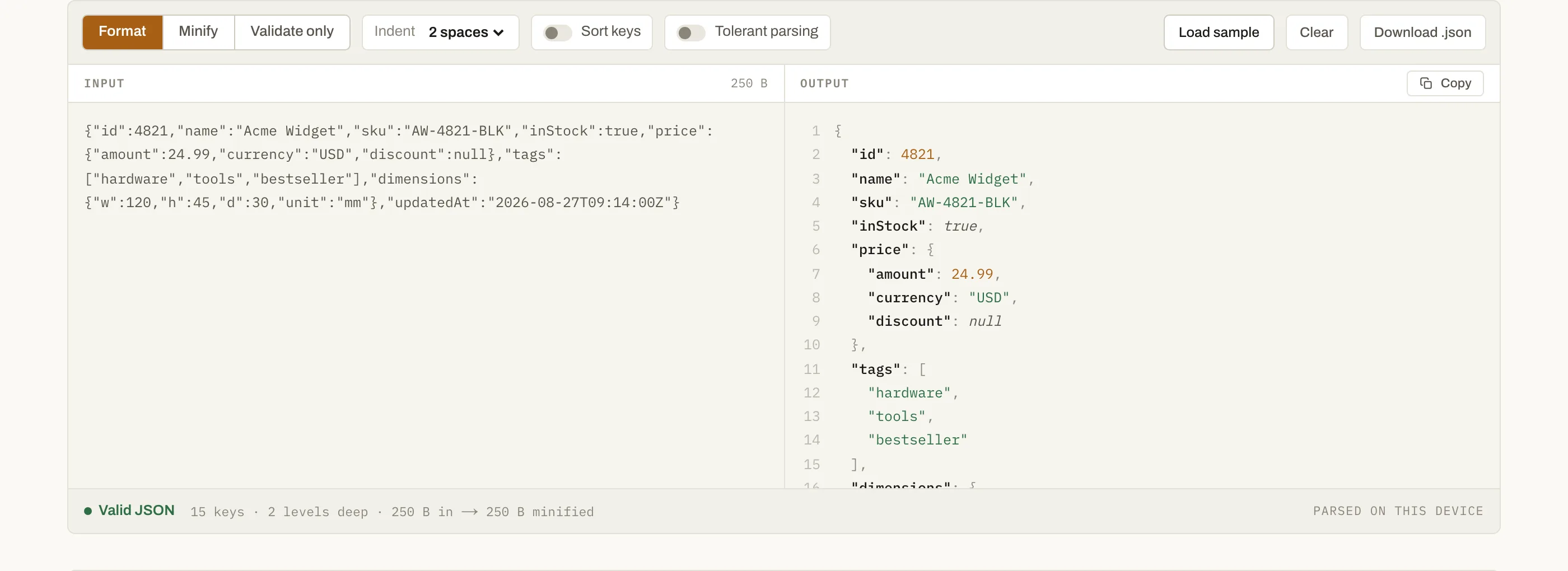
JSON that comes out of an API, a log line or a database column arrives as one unbroken string. It is valid, and it is unreadable. A formatter parses that string into a real data structure and prints it back with consistent indentation, one key per line, so you can see the shape of the object instead of counting brackets.
Validation is the other half of the job, and the more useful one. When the text is not valid JSON, the parser stops at the first character it cannot make sense of and reports a character offset — which tells you nothing in a 400-line file. This tool converts that offset into a line and column and names the mistake where it recognises one.
How to use it
- Paste your JSON into the left pane, or drop a
.jsonfile onto it. - Choose an indent — two spaces, four spaces or a tab. The result appears on the right as you type; there is no button to press.
- Turn on Sort keys when you need to diff two payloads that carry the same data in a different order.
- Copy the result, or switch to Minify to strip every space back out before shipping it.
The four errors you will actually hit
| Message | Cause | Fix |
| --- | --- | --- |
| Unexpected token } | A trailing comma after the last value | Delete it, or switch on tolerant parsing |
| Unexpected token ' | Single quotes copied out of JavaScript | JSON allows double quotes only, on keys as well as values |
| Unexpected end of input | The payload was truncated mid-copy | Check the bracket count — something is unclosed |
| Bad control character | A raw newline or tab inside a string | Escape it as \n or \t |
Why this one runs locally
Most online JSON formatters post whatever you paste to a server and format it there. That is fine for a toy object and a bad habit for anything else: API responses carry customer names, tokens carry credentials, and a log line routinely carries both. Pasting a production payload into a form that uploads it is a data disclosure, however briefly the other end keeps it.
This tool uses the browser's own JSON.parse, in the tab you already have open.
The practical upside is speed — no upload, no queue, no round trip, so the
output updates on every keystroke. The trade-off is size, which is what the
limits above are about.
Questions
Does my JSON get uploaded anywhere?+
No. Parsing, formatting and validation all run in this browser tab. You can open the network panel and watch — no request leaves the page while you type. It also means the tool keeps working with the wifi off.
How large a document can I paste?+
Anonymous use is capped at 5 MB, and a free account raises that to 25 MB. The limit exists because a browser tab formats a large document on the main thread; past that size the page would visibly freeze, which is worse than a clear refusal.
Can it handle comments and trailing commas?+
Turn on tolerant parsing. It strips // and /* */ comments and removes commas before a closing bracket, then parses what is left as strict JSON. Comments inside string values are left alone, so a URL containing // survives.
What is the difference between formatting and validating?+
Formatting reprints valid JSON with consistent indentation. Validating only answers whether the text parses, and where it stops if it does not. Validate-only mode is there for large documents where you want the answer without waiting for the pretty-printed output.
Why does sorting keys change my diff?+
Two payloads can carry identical data with keys in a different order, and a line diff will show every line as changed. Sorting both sides alphabetically first collapses that noise. Array order is never touched, because reordering an array changes the data rather than its presentation.