What the file can and cannot do
robots.txt is a request, not a fence. It tells cooperating crawlers which
paths to skip. It does not authenticate, it does not hide anything, and it does
not remove pages from an index.
| Goal | Right tool |
| --- | --- |
| Stop a crawler wasting budget on faceted URLs | Disallow in robots.txt |
| Keep a page out of search results | noindex meta tag, page left crawlable |
| Keep a page private | Authentication |
| Point crawlers at your URL list | Sitemap: line |
Pattern syntax, in full
There are only two special characters. * matches any run of characters, and
$ anchors the end of the URL. Everything else is a literal prefix:
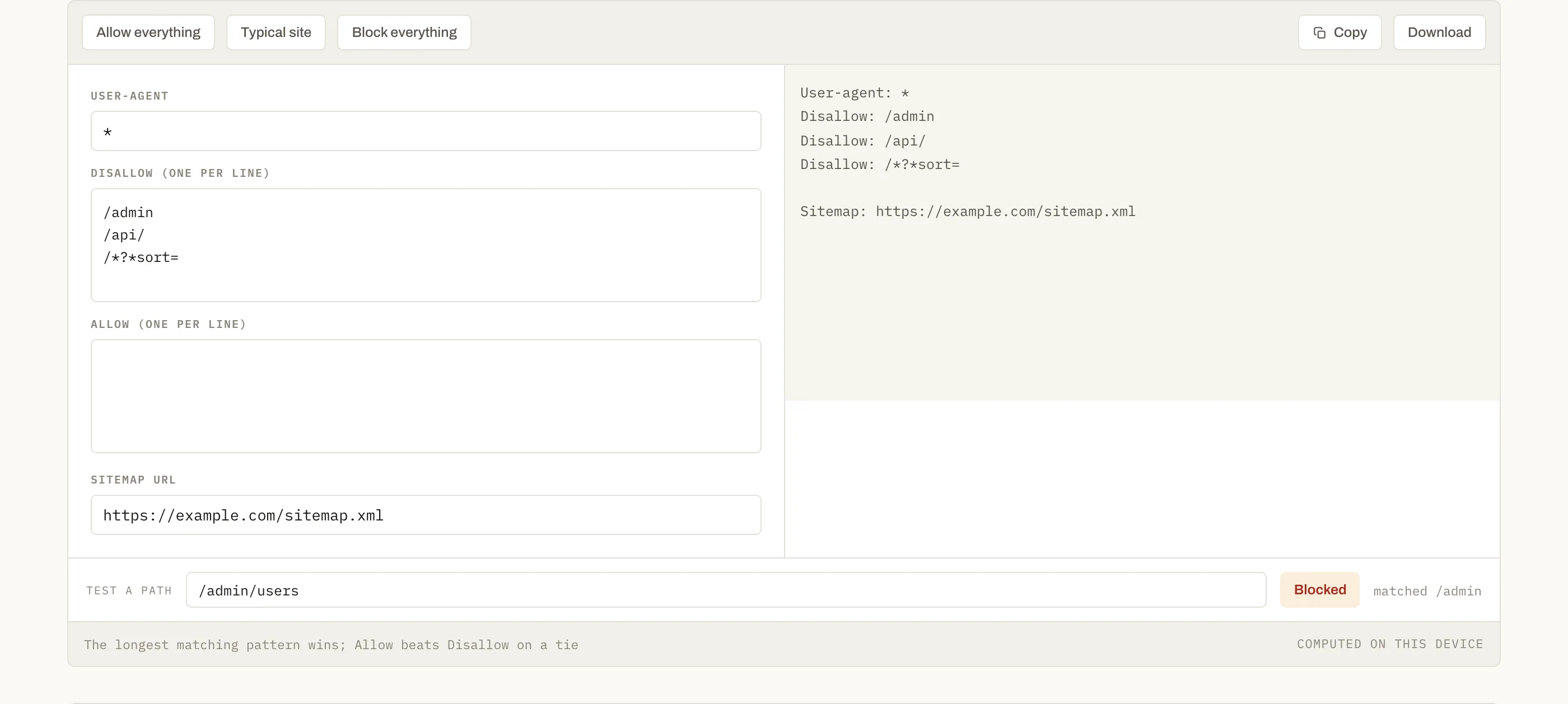
Disallow: /admin blocks /admin, /admin/, and /administrator — which is
usually a surprise. Use Disallow: /admin/ when you mean the directory.
The longest-match rule
Given Disallow: /blog and Allow: /blog/public, the path /blog/public/post
is crawlable: both patterns match, and the longer one wins. Reverse the
lengths and the outcome flips. This is the rule that makes people accidentally
deindex a section — they add a broad Disallow and assume an earlier Allow
protects the parts they care about, or the other way round. Test the paths that
matter before you publish, not after traffic drops.
Blocking everything on a staging site
User-agent: * with Disallow: / is right for a staging environment, and
catastrophic if it ships to production — which happens regularly, because the
file gets copied along with everything else. If your deploy copies robots.txt
between environments, make the production version explicit rather than inherited.
Questions
Does Disallow keep a page out of search results?+
No — and this is the most expensive misunderstanding about robots.txt. Disallow stops crawling, not indexing. A blocked URL that other sites link to can still appear in results, listed without a description because the crawler was never allowed to read it. To keep a page out of the index, allow crawling and use a noindex meta tag; blocking it in robots.txt actually prevents the crawler from ever seeing that tag.
Which rule wins when Allow and Disallow both match?+
The longest pattern, and Allow wins a tie of equal length. So Disallow: /blog with Allow: /blog/public leaves /blog/public/post crawlable, because the allow pattern is longer. The tester here applies exactly that rule — checking it before publishing is the point.
Is robots.txt a security control?+
The opposite. It is a public file that lists the paths you would rather people did not visit, and well-behaved crawlers are the only thing that honours it. Putting /admin in robots.txt tells everyone the admin panel exists. Protect private paths with authentication and leave them out of the file.
Do I need one at all?+
Only if you want to restrict something or to point at your sitemap. A site with nothing to block is fine without the file — a missing robots.txt means everything is crawlable, which is the same as an empty one. What you should not do is publish a broken file: a syntax error can be read as blocking far more than you intended.