What the flags actually change
| Flag | Effect | When you need it |
| --- | --- | --- |
| g | Find every match, not just the first | Almost always, when testing |
| i | Ignore case | Matching user input, hostnames, keywords |
| m | ^ and $ match at every line break | Line-oriented text, log parsing |
| s | . also matches a newline | Matching across a multi-line block |
| u | Unicode mode | \d, \w and \p{...} beyond ASCII; required for \p{L} |
The u flag is the one most often missing. Without it, \d matches only 0-9
and \w only ASCII — fine for a machine format, wrong the moment a person types
their name.
How to use it
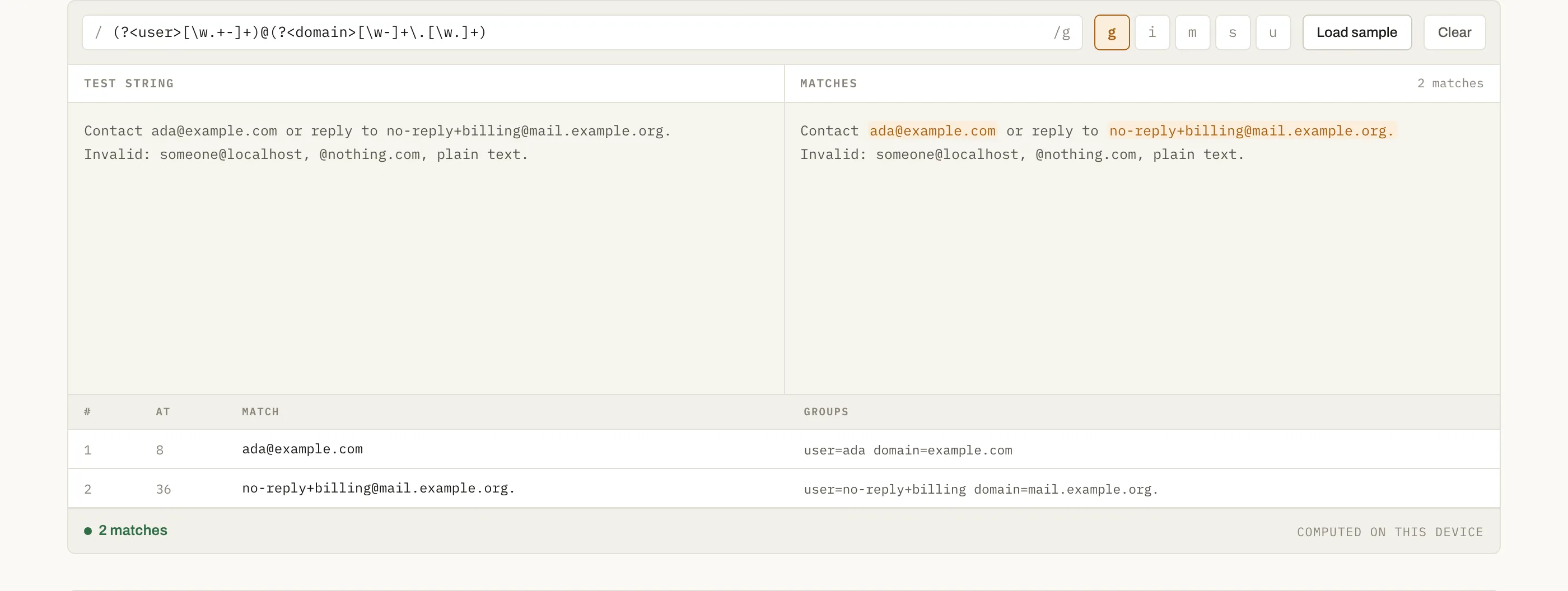
- Type the pattern between the slashes. Flags are the buttons beside it.
- Paste the text to match against on the left.
- Matches are highlighted on the right, and the table below lists each one with its position and capture groups.
Catastrophic backtracking, briefly
A pattern such as (a+)+$ against a long string of a characters can take
exponential time — the engine tries every way of splitting the input before
giving up. It is a real denial-of-service vector when the pattern is applied to
user input on a server. The tell is nested quantifiers over overlapping
alternatives. If a pattern hangs the preview here, do not ship it: rewrite it so
each character can only be consumed one way.
Questions
Which regex flavour is this?+
JavaScript's, because it is your browser's own RegExp engine running the pattern. That matters: JavaScript has no lookbehind in older Safari, no possessive quantifiers, and \d matches only ASCII digits unless you add the u flag. A pattern that works here will work in Node and in the browser, but not necessarily in PCRE, Python or Go.
Why did my pattern stop at 500 matches?+
That is a deliberate cap. A broad pattern on a long input can produce tens of thousands of matches, and rendering them all would freeze the tab. The status bar tells you when the list was cut short; tighten the pattern rather than raising the limit.
What happens with a zero-length match?+
Patterns like a*, \b or an empty group match without consuming a character, which makes a naive loop spin forever. This tool advances past the position after each empty match, so you see one result per position and the page stays responsive.
Are named groups supported?+
Yes — (?<name>...) works, and the groups column shows name=value rather than a positional index. Named groups are worth the extra characters: they survive someone inserting another group in front of yours.